
Grammar Checker
Check your text for grammar, spelling, and style mistakes instantly.
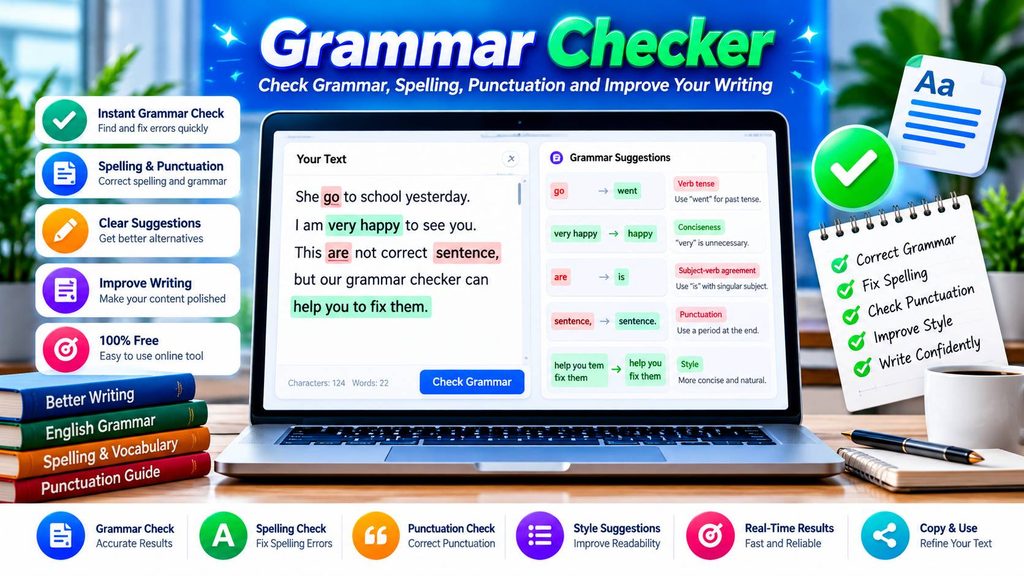
100% Free Grammar Checker – Check Grammar and Spelling Online
We have all sent an email, submitted an assignment, or published a post and noticed a mistake a minute too late. A missing letter, a wrong verb form, or a clumsy sentence can make careful work look rushed. A free grammar checker helps you catch many of these errors before anyone else sees them. You paste or type your text, click one button, and review the feedback right in your browser, with no software to install and no account to create.
This guide explains what a grammar checker does, what the Aanamil Grammar Checker offers, and how to check grammar online step by step. You will also find tips for better writing, advice for phones, tablets, and computers, answers to common problems, and notes on handling your text carefully.
What Is a Grammar Checker?
A grammar checker is an online tool that reads your text and points out possible mistakes. Instead of proofreading every line by eye, you paste your writing into a box and let the tool look for problems in grammar, spelling, and style.
The Aanamil Grammar Checker is a browser-based tool that checks your text for possible grammar, spelling, and style mistakes. You type or paste your text, click “Check Grammar,” and review the result. You can then click “Clear” to empty the box and start again. You do not need desktop software, a technical background, or an account.
What the Aanamil Grammar Checker Looks For
The tool is built around three kinds of problems. Here is what each one means in everyday writing.
Grammar
Grammar covers the rules that hold a sentence together, such as verb tense, agreement between subject and verb, and word order. For example, “She go to school yesterday” mixes a present-tense verb with a past-time word, so it needs a correction.
Spelling
Spelling mistakes include missing or swapped letters, such as “recieve” instead of “receive.” Careful spelling makes your writing look professional and easier to trust.
Style
Style is about how clear and natural your writing sounds. A sentence can be correct and still feel wordy, repetitive, or hard to follow. Style feedback helps you decide whether a phrase could be shorter or clearer.
No tool understands your meaning as well as you do. Treat every suggestion as a prompt to think, and keep the wording that says what you really intend.
Features of the Aanamil Grammar Checker
Here are the main features at a glance. The next section explains how each part of the tool works.
- Free to use, with no signup or login.
- Grammar, spelling, and style checks in one place.
- Simple text box for typing or pasting text.
- Check Grammar and Clear buttons.
- Browser-based, with nothing to install.
Tool Features Explained in Detail
Each part of the tool has a simple job. Here is how each one works.
Type or Paste Your Text Below
This is the main text box. Its hint reads “Type or paste text here to check grammar…” You can type directly or paste text from a document, email, web page, or message. Short sentences and longer passages both work, although checking a long text in sections is easier to review.
Check Grammar
This blue button runs the check. Click it once your text is in the box, then read the feedback the tool shows. The tool is built to give quick results, so you can fix a mistake and check again in moments.
Clear
This red button empties the text box so you can start again with new text. It also helps when you want to remove text from the page after finishing, especially on a shared device.
Instant Feedback
The page describes its results as instant. In practice, the speed you see depends on your device, your browser, and the length of your text. A short paragraph is usually the quickest way to try the tool for the first time.
How to Check Grammar Online: Step-by-Step Guide
The process is simple and takes only a few seconds.
- Open the grammar checker. Use the tool on this page in a supported web browser.
- Add your text. Type it into the box, or paste it from another source.
- Click “Check Grammar.” The tool reviews your text for grammar, spelling, and style mistakes.
- Read the feedback. Go through each point one at a time and decide whether it improves your sentence.
- Fix your text. Correct the mistakes you agree with, and keep the wording you prefer.
- Check again. Run the check once more after your changes to make sure nothing new slipped in.
- Clear the box. Click “Clear” when you are done, or when you want to check something else.
Why Good Grammar and Spelling Matter
Clean writing helps readers focus on what you are saying instead of on the mistakes. These are some of the most common reasons people check their text.
- Emails and messages. A clear, correct message reads as careful and respectful.
- Essays and assignments. Teachers notice errors, and fixing them can make your arguments easier to follow.
- Job applications. Cover letters and resumes are often the first impression an employer gets of you.
- Blog posts and websites. Readers tend to trust pages that are well written and free of obvious errors.
- Social media and captions. A quick check avoids mistakes in posts that many people will read.
- English as a second language. Learners can use feedback to notice patterns in their own mistakes.
A Note on Writing for Search Engines
Many website owners wonder whether perfect grammar helps a page rank. Google does not promise a ranking for any single writing choice. Its guidance on helpful, reliable, people-first content points to quality, clarity, and usefulness for readers. A grammar checker can support that goal by helping you spot careless errors, but it cannot replace original, useful content. Write for your reader first, and use the tool as a final check before you publish.
Tips for Better Results
A few simple habits help you get more from any grammar checker.
- Check shorter sections. Paragraph-sized pieces are easier to review than one huge block.
- Read every suggestion. Accept it only when it makes your meaning clearer.
- Watch names and special terms. Names, brands, and technical words may be flagged even when they are correct.
- Review commas and apostrophes yourself. They can change meaning, so give them a final read.
- Read your text aloud. Awkward sentences are easier to hear than to see.
- Keep your original. Save a copy before you make large changes.
- Recheck after editing. Run the check again after your final changes.
- Know your audience. A formal letter, a casual message, and a school essay each call for a different tone, so choose the wording that suits the reader.
- Take a short break. Errors are easier to spot after you step away from your draft for a few minutes and then read it again.
Common Writing Mistakes to Watch For
Knowing the usual trouble spots helps you write better even before you run a check.
- Verb tense. Keep the tense consistent, and match it to the time you are describing.
- Subject and verb agreement. A singular subject needs a singular verb, and a plural subject needs a plural verb.
- Spelling lookalikes. Pairs such as “their” and “there,” or “its” and “it’s,” are easy to mix up.
- Wordy phrases. Words like “very” and “really” can often be removed without losing meaning.
- Missing end punctuation. Every sentence needs a clear ending.
- Repeated words. A word typed twice in a row is easy to miss when you reread your own work.
Who Can Benefit from a Grammar Checker?
A free grammar checker is useful for many people.
- Students can proofread essays, notes, and reports before submitting them.
- Writers and bloggers can catch careless errors in drafts.
- Job seekers can polish cover letters and application answers.
- Office workers can review emails and reports before sending them.
- Social media managers can check captions and posts quickly.
- English learners can practice writing and notice common errors.
- Everyday users can review a message, a review, or a form entry.
Mobile, Tablet, and Desktop Compatibility
You can access the Aanamil Grammar Checker through a compatible web browser on mobile phones, tablets, laptops, and desktop computers. The experience may vary by device and browser. This means you can check a message directly on your phone without moving it to a computer first.
You can open the tool in a compatible browser on:
- Android phones and Android tablets
- iPhone and iPad
- Windows computers
- macOS computers
You do not need to install an app. Open the page in an up-to-date browser, type or paste your text, and click “Check Grammar.”
Common Problems and Troubleshooting
Most issues are easy to fix.
- Nothing happens when I click the button. Make sure there is text in the box, then click “Check Grammar” again. Refresh the page if the problem continues.
- A correct word is flagged. Names, brands, and unusual terms can be marked even when they are right. Use your own judgment.
- I disagree with a suggestion. Suggestions are optional. Keep the wording that fits your meaning and audience.
- The check is slow. Try a shorter piece of text, and close other heavy tabs or apps on your device.
- The result looks different on my phone. Layouts can vary by screen size, so scroll through the page to see the whole result.
- Pasted text looks strange. Text copied from other sources may carry odd spacing or line breaks. Tidy it before you check.
If a problem continues, refresh the page, clear the box, and try again with a smaller piece of text. Keep your browser up to date.
Privacy and Safety Considerations
The Aanamil Grammar Checker works in your browser, and no signup or login is required. As with any online tool, a few common-sense habits are worth following, especially with sensitive text:
- Avoid pasting private or confidential information, especially on public or shared computers.
- Click “Clear” when you finish.
- Share your corrected text only with the people who need it.
- Keep your browser and operating system up to date.
Frequently Asked Questions
Is the grammar checker free to use?
Yes. You can use the tool for free, with no fees and no subscription.
How do I check grammar online?
Type or paste your text into the box, click “Check Grammar,” and review the feedback. The step-by-step guide above explains each stage.
What does the tool check?
It checks your text for possible grammar, spelling, and style mistakes.
Is the result always correct?
No grammar checker is perfect. Names, special terms, and creative writing can be flagged incorrectly, so read each suggestion and decide for yourself.
Can I use it for essays and emails?
Yes. You can paste essays, emails, captions, and other text. For important documents, proofread the final version yourself as well.
Can I use it on my phone or tablet?
Yes. You can use it through a compatible browser on Android, iPhone, Android tablets, and iPad, as well as on Windows and macOS computers. The experience may vary by device and browser.
Do I need to sign up or install anything?
No. The tool works in your browser, so you do not need to create an account or install any software.
How can I improve my grammar over time?
Notice the mistakes you repeat, read well-written material often, and practice writing regularly. A trusted reference such as the Purdue Online Writing Lab grammar guide explains the rules behind many common errors.
Conclusion
Careful writing builds trust, and a quick check can save you from small mistakes that distract your reader. With the free Aanamil Grammar Checker, you can paste your text, c100% Free Grammar Checker – Check Grammar and Spelling Online
We have all sent an email, submitted an assignment, or published a post and noticed a mistake a minute too late. A missing letter, a wrong verb form, or a clumsy sentence can make careful work look rushed. A free grammar checker helps you catch many of these errors before anyone else sees them. You paste or type your text, click one button, and review the feedback right in your browser, with no software to install and no account to create. If you also work with codes and links, you can try our free QR Code Scanner.
This guide explains what a grammar checker does, what the Aanamil Grammar Checker offers, and how to check grammar online step by step. You will also find tips for better writing, advice for phones, tablets, and computers, answers to common problems, and notes on handling your text carefully.
What Is a Grammar Checker?
A grammar checker is an online tool that reads your text and points out possible mistakes. Instead of proofreading every line by eye, you paste your writing into a box and let the tool look for problems in grammar, spelling, and style.
The Aanamil Grammar Checker is a browser-based tool that checks your text for possible grammar, spelling, and style mistakes. You type or paste your text, click “Check Grammar,” and review the result. You can then click “Clear” to empty the box and start again. You do not need desktop software, a technical background, or an account.
What the Aanamil Grammar Checker Looks For
The tool is built around three kinds of problems. Here is what each one means in everyday writing.
Grammar
Grammar covers the rules that hold a sentence together, such as verb tense, agreement between subject and verb, and word order. For example, “She go to school yesterday” mixes a present-tense verb with a past-time word, so it needs a correction.
Spelling
Spelling mistakes include missing or swapped letters, such as “recieve” instead of “receive.” Careful spelling makes your writing look professional and easier to trust.
Style
Style is about how clear and natural your writing sounds. A sentence can be correct and still feel wordy, repetitive, or hard to follow. Style feedback helps you decide whether a phrase could be shorter or clearer.
No tool understands your meaning as well as you do. Treat every suggestion as a prompt to think, and keep the wording that says what you really intend.
Features of the Aanamil Grammar Checker
Here are the main features at a glance. The next section explains how each part of the tool works.
- Free to use, with no signup or login.
- Grammar, spelling, and style checks in one place.
- Simple text box for typing or pasting text.
- Check Grammar and Clear buttons.
- Browser-based, with nothing to install.
Tool Features Explained in Detail
Each part of the tool has a simple job. Here is how each one works.
Type or Paste Your Text Below
This is the main text box. Its hint reads “Type or paste text here to check grammar…” You can type directly or paste text from a document, email, web page, or message. Short sentences and longer passages both work, although checking a long text in sections is easier to review.
Check Grammar
This blue button runs the check. Click it once your text is in the box, then read the feedback the tool shows. The tool is built to give quick results, so you can fix a mistake and check again in moments.
Clear
This red button empties the text box so you can start again with new text. It also helps when you want to remove text from the page after finishing, especially on a shared device.
Instant Feedback
The page describes its results as instant. In practice, the speed you see depends on your device, your browser, and the length of your text. A short paragraph is usually the quickest way to try the tool for the first time.
How to Check Grammar Online: Step-by-Step Guide
The process is simple and takes only a few seconds.
- Open the grammar checker. Use the tool on this page in a supported web browser.
- Add your text. Type it into the box, or paste it from another source.
- Click “Check Grammar.” The tool reviews your text for grammar, spelling, and style mistakes.
- Read the feedback. Go through each point one at a time and decide whether it improves your sentence.
- Fix your text. Correct the mistakes you agree with, and keep the wording you prefer.
- Check again. Run the check once more after your changes to make sure nothing new slipped in.
- Clear the box. Click “Clear” when you are done, or when you want to check something else.
Why Good Grammar and Spelling Matter
Clean writing helps readers focus on what you are saying instead of on the mistakes. These are some of the most common reasons people check their text.
- Emails and messages. A clear, correct message reads as careful and respectful.
- Essays and assignments. Teachers notice errors, and fixing them can make your arguments easier to follow.
- Job applications. Cover letters and resumes are often the first impression an employer gets of you.
- Blog posts and websites. Readers tend to trust pages that are well written and free of obvious errors.
- Social media and captions. A quick check avoids mistakes in posts that many people will read.
- English as a second language. Learners can use feedback to notice patterns in their own mistakes.
A Note on Writing for Search Engines
Many website owners wonder whether perfect grammar helps a page rank. Google does not promise a ranking for any single writing choice. Its guidance on helpful, reliable, people-first content points to quality, clarity, and usefulness for readers. A grammar checker can support that goal by helping you spot careless errors, but it cannot replace original, useful content. Write for your reader first, and use the tool as a final check before you publish.
Tips for Better Results
A few simple habits help you get more from any grammar checker.
- Check shorter sections. Paragraph-sized pieces are easier to review than one huge block.
- Read every suggestion. Accept it only when it makes your meaning clearer.
- Watch names and special terms. Names, brands, and technical words may be flagged even when they are correct.
- Review commas and apostrophes yourself. They can change meaning, so give them a final read.
- Read your text aloud. Awkward sentences are easier to hear than to see.
- Keep your original. Save a copy before you make large changes.
- Recheck after editing. Run the check again after your final changes.
- Know your audience. A formal letter, a casual message, and a school essay each call for a different tone, so choose the wording that suits the reader.
- Take a short break. Errors are easier to spot after you step away from your draft for a few minutes and then read it again.
Common Writing Mistakes to Watch For
Knowing the usual trouble spots helps you write better even before you run a check.
- Verb tense. Keep the tense consistent, and match it to the time you are describing.
- Subject and verb agreement. A singular subject needs a singular verb, and a plural subject needs a plural verb.
- Spelling lookalikes. Pairs such as “their” and “there,” or “its” and “it’s,” are easy to mix up.
- Wordy phrases. Words like “very” and “really” can often be removed without losing meaning.
- Missing end punctuation. Every sentence needs a clear ending.
- Repeated words. A word typed twice in a row is easy to miss when you reread your own work.
Who Can Benefit from a Grammar Checker?
A free grammar checker is useful for many people.
- Students can proofread essays, notes, and reports before submitting them.
- Writers and bloggers can catch careless errors in drafts.
- Job seekers can polish cover letters and application answers.
- Office workers can review emails and reports before sending them.
- Social media managers can check captions and posts quickly.
- English learners can practice writing and notice common errors.
- Everyday users can review a message, a review, or a form entry.
Mobile, Tablet, and Desktop Compatibility
You can access the Aanamil Grammar Checker through a compatible web browser on mobile phones, tablets, laptops, and desktop computers. The experience may vary by device and browser. This means you can check a message directly on your phone without moving it to a computer first.
You can open the tool in a compatible browser on:
- Android phones and Android tablets
- iPhone and iPad
- Windows computers
- macOS computers
You do not need to install an app. Open the page in an up-to-date browser, type or paste your text, and click “Check Grammar.”
Common Problems and Troubleshooting
Most issues are easy to fix.
- Nothing happens when I click the button. Make sure there is text in the box, then click “Check Grammar” again. Refresh the page if the problem continues.
- A correct word is flagged. Names, brands, and unusual terms can be marked even when they are right. Use your own judgment.
- I disagree with a suggestion. Suggestions are optional. Keep the wording that fits your meaning and audience.
- The check is slow. Try a shorter piece of text, and close other heavy tabs or apps on your device.
- The result looks different on my phone. Layouts can vary by screen size, so scroll through the page to see the whole result.
- Pasted text looks strange. Text copied from other sources may carry odd spacing or line breaks. Tidy it before you check.
If a problem continues, refresh the page, clear the box, and try again with a smaller piece of text. Keep your browser up to date.
Privacy and Safety Considerations
The Aanamil Grammar Checker works in your browser, and no signup or login is required. As with any online tool, a few common-sense habits are worth following, especially with sensitive text:
- Avoid pasting private or confidential information, especially on public or shared computers.
- Click “Clear” when you finish.
- Share your corrected text only with the people who need it.
- Keep your browser and operating system up to date.
Frequently Asked Questions
Is the grammar checker free to use?
Yes. You can use the tool for free, with no fees and no subscription.
How do I check grammar online?
Type or paste your text into the box, click “Check Grammar,” and review the feedback. The step-by-step guide above explains each stage.
What does the tool check?
It checks your text for possible grammar, spelling, and style mistakes.
Is the result always correct?
No grammar checker is perfect. Names, special terms, and creative writing can be flagged incorrectly, so read each suggestion and decide for yourself.
Can I use it for essays and emails?
Yes. You can paste essays, emails, captions, and other text. For important documents, proofread the final version yourself as well.
Can I use it on my phone or tablet?
Yes. You can use it through a compatible browser on Android, iPhone, Android tablets, and iPad, as well as on Windows and macOS computers. The experience may vary by device and browser.
Do I need to sign up or install anything?
No. The tool works in your browser, so you do not need to create an account or install any software.
How can I improve my grammar over time?
Notice the mistakes you repeat, read well-written material often, and practice writing regularly. A trusted reference such as the Purdue Online Writing Lab grammar guide explains the rules behind many common errors.
Conclusion
Careful writing builds trust, and a quick check can save you from small mistakes that distract your reader. With the free Aanamil Grammar Checker, you can paste your text, click “Check Grammar,” review the feedback on grammar, spelling, and style, and clear the box when you finish, all in your browser with no signup and nothing to install.
A checker is a helpful second pair of eyes, not a final judge. Read each suggestion, keep the wording that fits your meaning, proofread important text yourself, and clear sensitive text when you are done.lick “Check Grammar,” review the feedback on grammar, spelling, and style, and clear the box when you finish, all in your browser with no signup and nothing to install.
A checker is a helpful second pair of eyes, not a final judge. Read each suggestion, keep the wording that fits your meaning, proofread important text yourself, and clear sensitive text when you are done.