
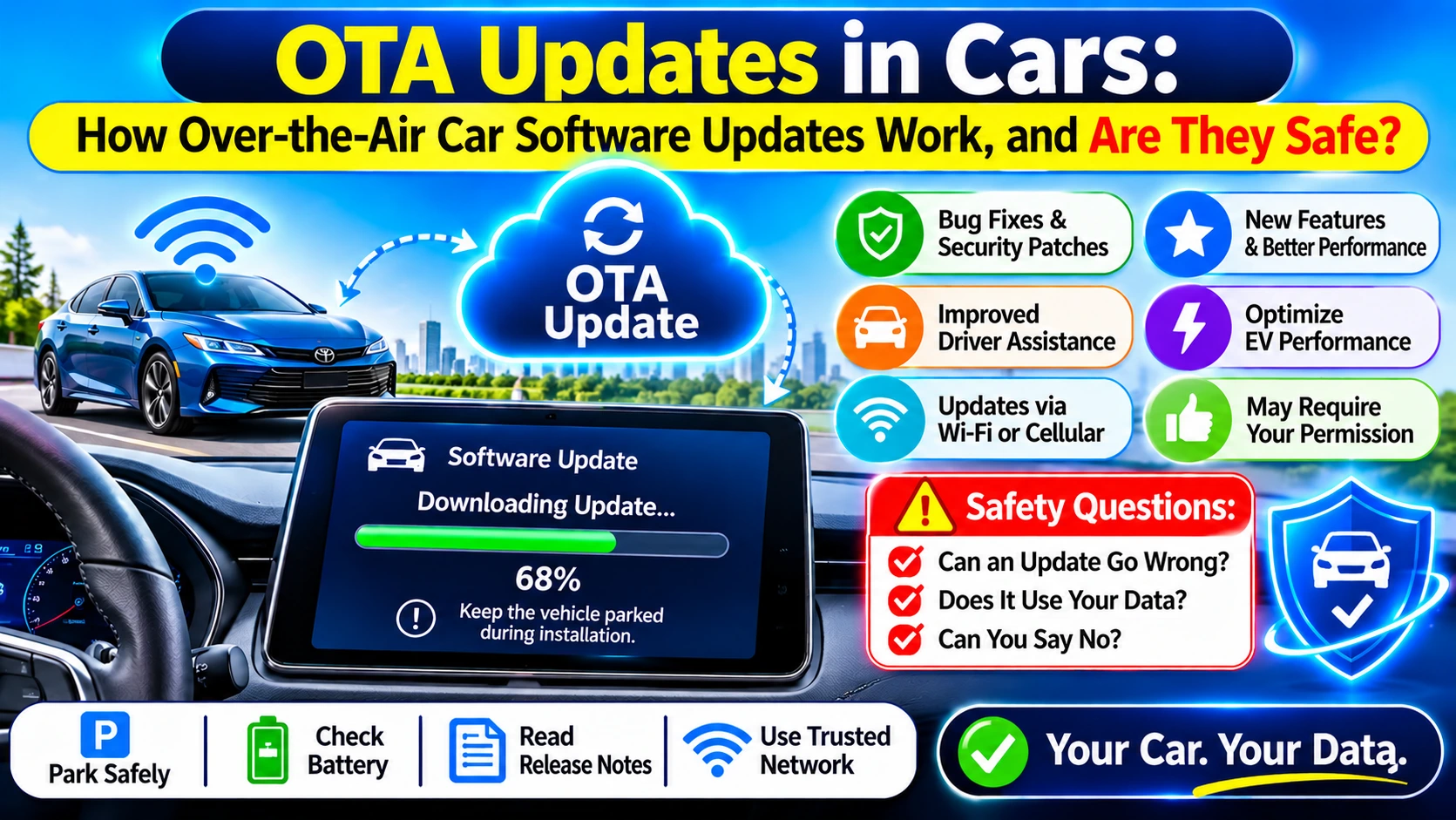
Your phone updates itself overnight. More and more cars do the same. OTA updates in cars let a manufacturer fix bugs, patch security holes and sometimes add features without you visiting a dealer. They also raise fair questions. Is it safe? Can an update go wrong? Does it use your data? Can you say no?
This guide answers those questions in plain language, explains how the rules differ around the world, and ends with a checklist you can follow before you press Install.
What Are OTA Updates in Cars?
OTA stands for over-the-air. An OTA update sends new software to your vehicle wirelessly, through Wi-Fi or the car’s own cellular connection, instead of through a cable at a workshop. The UN regulation on vehicle software updates describes it simply as any method of transferring data wirelessly rather than by cable or another local connection.
Not every car supports this, and not every system inside a car can be updated this way. Some vehicles update only the infotainment and navigation. Others can update a wider range of electronic systems. The only way to know what your car supports is to check its menu or manual.
How Do OTA Updates Work?
Understanding how OTA updates in cars work helps you know what happens before and after installation. The details differ between brands, but the process usually looks like this:
- The update is released. The manufacturer prepares the software and makes it available to the vehicles that need it.
- Your car is told. You see a message on the screen or in the car’s app, or the update arrives quietly in the background.
- The car downloads it. This happens over Wi-Fi or cellular data. Many cars can download in the background, even while you drive.
- The car checks the file. Before installing, a car typically checks that the update is genuine, complete and compatible with the software already inside.
- You install it, usually while parked. Installation normally needs the car to be stationary. Some cars also want a sufficiently charged battery or a connection to a charger. Many cars tell you how long the update will take.
- The car restarts and confirms the result. If something fails, many cars are designed to keep the previous working version.
What Can an OTA Update Change?
- Infotainment and apps: menus, maps, voice assistants and smartphone connections.
- Bug fixes: screens that freeze, connection problems and similar glitches.
- Security patches: closing weaknesses found after the car was built.
- Driver-assistance behavior: how some assistance features respond.
- Electric vehicle performance: in some EVs, updates can affect charging behavior and battery efficiency.
- New or unlockable features: some are free, while others may be paid.
Release notes are not always specific. Phrases such as “general improvements” or “improved stability” tell you very little, so it is fair to ask what really changed.
OTA Updates vs Recalls
A recall is a formal process for fixing a safety problem. An OTA update can be part of it. In the United States, the safety regulator NHTSA expects a manufacturer to file a recall report when an update fixes a safety defect, even if the fix is delivered remotely. If the update only adds features or fixes something that is not a safety defect, it is not treated as a recall.
For you, the practical points are these:
- A remote fix may have been installed without any visit to a workshop.
- You can still check your car’s recall status using its VIN on your country’s official recall website. In the US, that is NHTSA’s recall lookup.
- An update labeled as a normal software update does not tell you whether it was a recall.
Are OTA Updates Safe?
In general, a well-designed OTA system is a good thing. It lets manufacturers fix problems faster than waiting for every owner to book a workshop visit. Safety does depend on how carefully the update is built, tested and delivered. Safe OTA updates in cars depend on careful testing, clear release notes, and rules like UN Regulation No. 156.
What the rules say. Under UN Regulation No. 156, vehicles that can receive software updates must have a Software Update Management System before they can get type approval. For OTA updates specifically, the rules require that the update must not compromise safety while it is being installed, that a failed update must lead to a safe state, and that the user must be informed about it. The regulation applies in countries that follow the UNECE framework, including EU member states, the United Kingdom, Japan and South Korea. In the EU, it applied to new vehicle types from July 2022 and to all new vehicles from July 2024. Its twin, UN Regulation No. 155, covers cybersecurity.
What can still go wrong.
- A failed or interrupted update. There have been reports of updates leaving vehicles unable to start until they were repaired or reset.
- Battery drain. An update that does not finish cleanly can leave systems running and draining the battery.
- New bugs. A rushed update can introduce new problems while fixing old ones.
- Unclear release notes. You may not know what changed.
- Features that change. An update can alter how a feature behaves.
The risks are real, but they are not a reason to avoid every update. They are a reason to install updates thoughtfully.
OTA Updates and Your Privacy
An OTA update needs your car to be online. To deliver the right update, the manufacturer’s system must know which vehicle it is talking to and which software version it is running. Connected cars also collect and send other information, which we explain in our guide to Connected Car Privacy: What Data Your Car Collects and How to Protect It.
A few sensible habits help:
- Use a secure Wi-Fi network you trust, such as your home network. Avoid open public Wi-Fi for updates.
- Review the privacy and connectivity settings in your car and its app, and decide what you are comfortable sharing.
- Read the terms for connected services. Some free trials end, and some features need a subscription.
- Keep the car’s app updated and protect your manufacturer account with a strong password.
How to Install an OTA Update Safely
Follow this checklist before you tap Install:
- Park somewhere safe with a good connection. A garage with Wi-Fi coverage is ideal. If you use cellular, choose a place with a strong signal.
- Check the power. For an electric vehicle, make sure the battery has enough charge or plug it in if the car recommends that. For other cars, a healthy 12V battery matters.
- Read the release notes. Note what the update says it changes.
- Pick a quiet time. Schedule the update for when you will not need the car, such as overnight.
- Leave the car alone while it installs. Do not leave anyone inside, and do not try to start the car or open doors if the car tells you not to.
- Have help ready. Keep your roadside assistance and dealer details handy in case something goes wrong.
- Test after the update. Check the screen, cameras, driver-assistance features, charging and connectivity, and report anything unusual to the dealer.
Can You Turn Off or Decline OTA Updates?
It depends on the brand and the model. Some manufacturers let you switch off automatic updates and approve each one yourself. Some let you decline an update and have the dealer install it later. Others give you less choice.
Think carefully before declining everything. Updates can include security fixes and safety-related corrections, so skipping them for a long time may leave your car behind. A middle path often works best: turn on notifications, keep automatic installation off if your car allows it, and install updates at a time that suits you. Check your owner’s manual or the manufacturer’s support page for the exact options.
Do OTA Updates Cost Money or Use Data?
Many OTA updates are free and treated as part of the service. Some features, however, may be unlocked only with a paid plan or subscription. Ask before you assume an update is free.
Data use depends on how the car connects. Some cars use built-in cellular connectivity and some use Wi-Fi, and some can use either. Terms vary, and some manufacturers say a paid data plan is not needed for updates, while others may require active connected services. Check your manufacturer’s terms.
OTA Updates in Electric Vehicles
EVs rely heavily on software, so OTA updates matter even more. Depending on the model, updates can affect the way the car manages the battery, how efficiently it uses energy and how it charges. Keep an eye on charge level before installing, and follow your manufacturer’s guidance on charging during the update.
Questions to Ask Before Buying a Car
- Does the car support OTA updates for all systems, or only for infotainment?
- How many years will the manufacturer provide updates?
- Are updates free, and which features need a subscription?
- Can I decline or schedule updates?
- How does the manufacturer handle recalls and safety fixes?
- What data does the car send, and can I limit it?
Frequently Asked Questions
What is an OTA update in a car?
It is a software update delivered wirelessly to a vehicle, through Wi-Fi or a built-in cellular connection, without a cable or a workshop visit.
Are OTA updates safe?
Generally yes when they are properly designed and tested, and rules such as UN Regulation No. 156 require safe update procedures in many countries. Problems such as failed installs can still happen, so follow a careful checklist.
Can an OTA update damage my car?
A failed or interrupted update can, in rare cases, leave a vehicle unable to start until it is reset or repaired. Many cars are designed to keep the earlier working software if an update fails.
Do I need Wi-Fi for OTA updates?
Not always. Some cars use built-in cellular connectivity, others use Wi-Fi, and some support both. Wi-Fi can give a faster and more reliable download.
Can I drive while an OTA update installs?
Usually not. Many cars can download in the background, but installation normally requires the car to be parked.
How long does an OTA update take?
It varies. Small updates may take a few minutes, while large ones can take much longer. Your car usually shows an estimate.
Can I turn off OTA updates?
Many manufacturers offer some control, such as manual approval or scheduling. The options depend on the brand and model.
Are OTA updates the same as recalls?
No. An OTA update can be used to carry out a recall, but a normal feature or bug-fix update is not a recall. If an update fixes a safety defect, regulators in some countries, including the US, expect a recall to be filed.
Do all new cars get OTA updates?
No. Some cars have no OTA capability, and others support it only for some systems.
Do OTA updates affect my privacy?
Updates need an internet connection, and connected cars may send data to the manufacturer. Review your car’s privacy settings and our guide to Connected Car Privacy.
Final Thoughts
OTA updates in cars are one of the biggest changes in how cars are owned. They can make a car safer, smarter and more secure over time, but they also ask you to trust software, connectivity and a manufacturer’s choices. Know what your car supports, install updates in a calm and prepared way, and keep an eye on privacy and costs. To see where this technology is heading, read our overview of The Future of Auto Tech and Mobility: Smart Cars, EVs and Modern Technology.
Sources and further reading: UN Regulation No. 156 on software updates (EUR-Lex) and NHTSA recalls.