
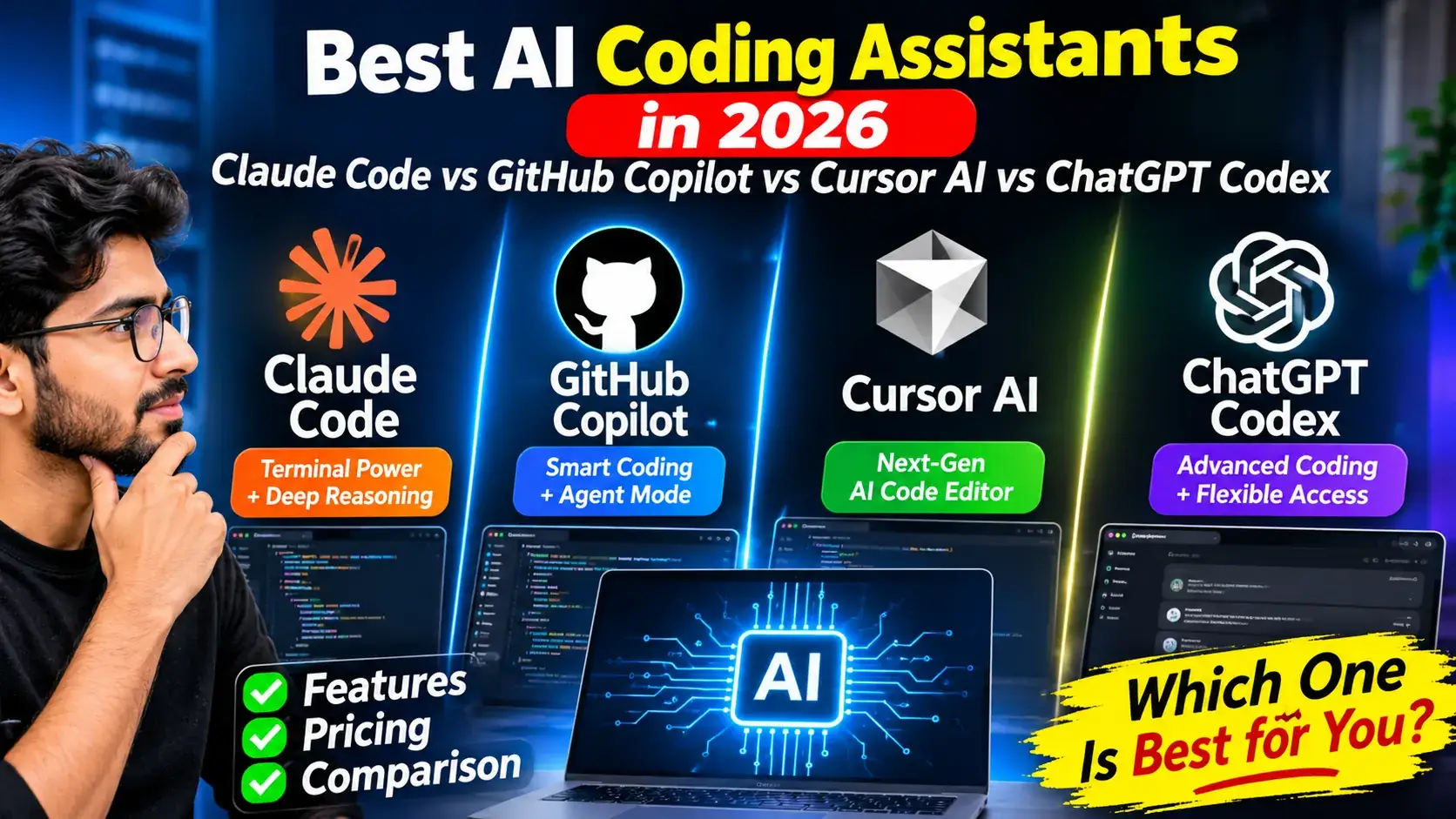
Software engineering workflows have evolved rapidly, making the best ai coding assistant a cornerstone of modern development. Whether you are building web applications, debugging complex services, or managing version control, finding a dependable ai coding assistant significantly streamlines daily coding tasks. Choosing the right ai code editor or extension requires a careful examination of technical capabilities, agent workflows, security controls, and transparent pricing structures.
This technical comparison evaluates four developer tools in November 2026: Claude Code, GitHub Copilot, Cursor AI, and ChatGPT Codex. By exploring how each ai code editor and assistant approaches multi-file modifications, terminal integration, security policies, and pricing models, engineering teams can make informed software choices. For a broader look at AI-powered tools beyond software development, explore our guide to Best AI Tools in 2026.
What Is an AI Coding Assistant?
An ai coding assistant is a specialized development tool powered by large language models that helps engineers write, refactor, test, and debug code. Functioning either as an inline completion engine, a dedicated chat sidebar, or an autonomous command-line agent, a robust ai programming assistant reduces repetitive syntax work and assists with architectural analysis.
Whether you are seeking a free ai coding assistant for side projects or robust ai coding software for enterprise production, understanding the differences is essential. Developers choose between dedicated ai code editor applications (such as Cursor) and extension-based assistants (such as GitHub Copilot, Claude Code, and ChatGPT Codex) that integrate directly into development environments like VS Code, JetBrains, Xcode, and command-line interfaces, keeping in mind that native environment compatibility varies significantly across each specific tool.
Claude Code: Features, Workflow, Strengths and Limitations
Claude Code is a terminal-centric coding agent with supported IDE integrations, designed to bring Anthropic’s reasoning models directly to your workspace.
Core Architecture and Workflow
Claude Code integrates with terminal environments and supports IDE connections, allowing developers to execute bash commands, run test suites, analyze file structures, and manage Git workflows. It operates as an interactive companion capable of executing multi-step engineering tasks under developer supervision, acting as a reliable ai code helper during complex debugging phases.
Strengths
- Repository Context & Reasoning: Utilizes context windows to analyze project dependencies and codebase logic.
- Autonomous Execution: Can run tests, read compiler error outputs, modify code, and verify fixes iteratively.
- Terminal & IDE Flexibility: Operates through command-line operations while connecting into supported development environments.
Limitations
- Terminal Familiarity Required: Developers accustomed solely to traditional GUI-driven panels may need time to adapt to its command-line workflows.
- Token Consumption: Deep codebase inspections and autonomous agent loops can consume account usage quotas quickly during extensive debugging sessions.
GitHub Copilot: Features, Workflow, Strengths and Limitations
GitHub Copilot is a developer tool offering real-time code completions, chat assistance, and agentic capabilities across major IDE ecosystems.
Core Architecture and Workflow
GitHub Copilot provides inline completions, Agent Mode, Copilot CLI, code review, and plan-dependent cloud-agent capabilities. It integrates natively into Visual Studio, VS Code, JetBrains IDEs, and Xcode, backed by GitHub’s secure infrastructure. For developers evaluating costs, reviewing github copilot pricing details helps determine whether standard tiers or higher-tier options fit their project requirements.
Strengths
- Comprehensive Agent Mode: Copilot Agent Mode can perform multi-file edits, suggest terminal commands, and assist with complex refactors with user approval.
- Ubiquitous Ecosystem Integration: Tight connection with GitHub Pull Requests, Issues, and CI/CD pipelines.
- Code Completions: Delivers code completions as you type to speed up repetitive boilerplate writing.
Limitations
- Subscription Tiers: Advanced cloud-agent capabilities and higher-tier model requests require specific plan levels.
- Ecosystem Boundaries: While versatile across supported IDEs, its deepest collaboration features center primarily around the GitHub ecosystem.
Cursor AI: Features, Workflow, Strengths and Limitations
Cursor AI is an AI-first code editor built as a fork of VS Code, engineered to integrate artificial intelligence natively into the developer interface.
Core Architecture and Workflow
By forking VS Code, Cursor maintains broad VS Code extension compatibility while embedding custom UI elements like Cursor Agent, multi-file editing, terminal execution, and codebase search. It also supports Cloud Agents on eligible plans, while Composer 2.5 functions as a specialized coding model that serves as an effective ai coding helper.
Strengths
- Cursor Agent Interface: Capable of generating and coordinating edits across multiple files simultaneously in response to a single prompt.
- Agent Capabilities: Features dedicated Cursor Agent functionality for executing iterative coding and debugging tasks.
- Familiar Interface: Retains standard VS Code keybindings, themes, and extensions while adding deep AI integration.
Limitations
- Standalone Editor Application: Requires switching from native VS Code builds or alternative IDEs (like JetBrains) to the Cursor application.
- Plan-Dependent Features: High-speed frontier model requests and advanced cloud agent features depend on active subscription tiers.
ChatGPT Codex: Features, Workflow, Strengths and Limitations
ChatGPT Codex represents OpenAI’s developer-focused ecosystem, providing structured algorithmic reasoning and flexible multi-environment execution.
Core Architecture and Workflow
Codex is integrated directly into OpenAI’s platform architectures and subscription plans, offering dedicated development utilities across supported CLI tools, IDE extensions, desktop apps, and cloud workflows. It enables developers to leverage OpenAI models for logic generation, code explanation, and automated debugging, operating alongside other standard ai programming tools.
Strengths
- Structured Logic Reasoning: Supports algorithmic design, mathematical logic, and architectural planning.
- Flexible Access Points: Accessible across CLI interfaces, desktop apps, and supported IDE extensions.
- Cloud Workflow Options: Enables offloading intensive code analysis tasks to cloud environments on eligible plans, subject to plan rules and usage thresholds.
Limitations
- Ecosystem Fragmentation: Integrations span multiple extension types and official OpenAI interfaces rather than a single unified UI.
- Usage Limits and Caps: High-reasoning model calls and cloud execution are governed by plan-specific message caps and usage policies.
Technical Comparison Table
| Capability | Claude Code | GitHub Copilot | Cursor AI | ChatGPT Codex |
|---|---|---|---|---|
| Code completion | Not a primary feature | Available | Available | Not a primary feature |
| Agent mode | Available | Available | Available | Available |
| Multi-file editing | Available | Available | Available | Available |
| Terminal access | Available | Available | Available | Available |
| Codebase understanding | Available | Available | Available | Available |
| Testing and debugging | Available | Available | Available | Available |
| Cloud execution | Primarily local terminal and supported IDE execution. Hosted cloud sessions are also available on Pro, Max, Ultra, and Team plans, and on eligible Enterprise seats. Cloud sessions run on infrastructure managed by Anthropic by default, or on an organization’s self-hosted environment when configured. | Plan-dependent (Cloud-agent limits apply) | Cloud Agents and Automations vary by tier; current X Subscription plans (Cloud Agents and Automations included in Premium and higher) and Legacy plan families (Cloud Agents included in Start, Pro, Pro+, and Ultra; Automations available on Pro, Pro+, and Ultra; Hobby excludes Cloud Agents) feature distinct cloud agent accessibility rules. | Plan-dependent (Codex Cloud availability rules and rollout settings apply) |
| Code review | Local code and Git diff review; dedicated Claude Code Review is also available through GitHub integration on Team and Enterprise plans. It posts automated findings as inline PR comments and is billed separately through usage credits. | Available on paid plans: Copilot Pro, Pro+, Max, Business, and Enterprise. Free does not include Copilot code review; code review is available on eligible paid plans. | Plan-dependent Bugbot feature provides automated pull-request review capabilities on eligible tiers | Pull-request and code review integrations supported |
| Model selection | Fixed to Anthropic Claude models; availability depends on the plan and access route | Available (Model switching in chat) | Grok models are included in the current X Subscription Plus plan. Cursor also offers its own Composer 2.5 coding model. Third-party models are available on Premium and higher plans at API list prices. Legacy plans operate on separate monthly usage pools. | Fixed to OpenAI models |
Official Pricing and Plans
Note: Prices are listed in USD (with specific India-localized legacy options where applicable). Local taxes (such as GST in India) may apply, and actual billing amounts in regional currencies can differ. Cloud execution and advanced agent features are plan-dependent across all providers.
| Product | Free Plan Availability | Individual Paid Plans | Official Pricing & Billing Frequency | Included Usage & Limits | Additional Charges & Regional Notes |
|---|---|---|---|---|---|
| Claude Code | Claude Free does not include Claude Code access | Pro, Max, and Ultra Plans | Pro: $20/month (monthly billing) or $200/year (annual billing; approximately $17/month equivalent); Max: $100/month; Ultra: $200/month | Included in eligible paid subscription plans within applicable usage limits | Monthly API credits associated with Max ($100) and Ultra ($200) are for the Claude Platform API and are separate from interactive Claude Code subscription usage. |
| GitHub Copilot | Copilot Free available ($0) | Pro, Pro+, Max | Free ($0); Pro ($10/mo); Pro+ ($39/mo); Max ($100/mo) | Free: 2,000 monthly code completions and limited chat/agent usage; Pro: $15 monthly total AI Credits; Pro+: $70 monthly total AI Credits; Max: $200 monthly total AI Credits. Verified students have a separate Student offering. | AI Credits apply to eligible agent and premium usage across tiers |
| Cursor AI | Free plan available (Free plan is part of the current X Subscription; Hobby is a Legacy plan for eligible older customers) | Current X Subscription & Legacy Plans | Current X Subscription: Free ($0), Plus ($8/mo), Premium ($30/mo), Super ($100/mo), Ultra ($200/mo). Legacy Plans: Hobby ($0), Start (₹649/mo, India only), Pro ($20/mo), Pro+ ($60/mo), Ultra ($200/mo). | Current X Subscription paid plans feature a shared weekly usage pool for Cursor and Grok apps (with limited usage on the Free plan). Legacy plans use separate monthly pools (Start and Hobby include Cursor Models only; Pro, Pro+, and Ultra include separate Cursor and Other Models pools). | Third-party models are excluded from the X Subscription shared pool and billed separately at API list prices on Premium and higher. Legacy Pro, Pro+, and Ultra include separate Other Models usage pools with applicable legacy on-demand billing rules after limits. |
| ChatGPT Codex | Included across ChatGPT Free and paid plans | Go, Plus, Pro 100, Pro 200, Pro 500 | Free ($0); Go ($8/month); Plus ($20/month); Pro 100 ($100/month); Pro 200 ($200/month); Pro 500 ($500/month). Business and Enterprise organizational pricing varies. | Plan-dependent usage limits and message caps apply across tiers | Codex Cloud is not available on Free or Go; it is available to eligible Plus and higher plans subject to rollout and workspace settings. Business and Enterprise plans are also available as organizational tiers that support Codex. |
Which Tool Is Best for Different Developer Workflows?
- Beginners learning programming: GitHub Copilot and Cursor AI provide intuitive onboarding with inline code completions and clear explanations.
- Professional web developers: Cursor AI and GitHub Copilot offer robust context handling across full-stack languages like TypeScript, JavaScript, and Python.
- Developers working with large repositories: Claude Code and Cursor AI provide powerful codebase indexing and context management.
- Developers who prefer terminal-based workflows: Claude Code and Codex CLI offer powerful command-line execution.
- Developers who prefer an AI-native code editor: Cursor AI provides a streamlined graphical IDE experience.
- Developers working primarily inside GitHub: GitHub Copilot provides native integration with GitHub Pull Requests and Actions.
Security, Privacy, and Engineering Considerations
When evaluating software options, reviewing a detailed ai coding assistant comparison helps clarify security differences. Data governance is vital:
- Training Data Policies and Privacy: Data handling, model-training policies, retention periods, and administrative controls depend entirely on the provider, plan, and organization settings. For instance, Cursor offers dedicated privacy controls like Cursor Privacy Mode, though administrative settings should always be verified.
- External Model Transmission & Local Execution: Local code execution does not mean local AI model inference. Prompts and relevant code context are generally sent to provider-hosted models for AI processing.
- Permissions and Sandboxing: Agentic tools execute commands or modify files. Developers should ensure appropriate command approval settings and sandbox environments are maintained.
Advantages and Limitations of Each Product
- Claude Code:
- Advantage: Terminal automation and repository-wide reasoning.
- Limitation: Requires comfort with command-line or hybrid workflows.
- GitHub Copilot:
- Advantage: Ubiquitous IDE support, Agent Mode, and native GitHub integration.
- Limitation: Advanced agent capabilities require specific subscription tiers.
- Cursor AI:
- Advantage: Multi-file editing and IDE fork experience.
- Limitation: Requires adopting a standalone editor application.
- ChatGPT Codex:
- Advantage: Algorithmic reasoning across multiple access points.
- Limitation: Interface experience spans multiple extensions and apps.
Final Verdict: Which AI Coding Assistant Should You Choose?
Selecting the right assistant depends on your development environment. For inline completions across standard IDEs, GitHub Copilot is a dependable choice. If you prefer a graphical editor capable of multi-file orchestration, Cursor AI is a strong option. If your workflow centers on terminal automation and command-line reasoning, Claude Code delivers agentic capabilities. For problem-solving and flexible access, ChatGPT Codex offers support. Many development teams combine a completion tool like Copilot or Cursor with an agentic assistant like Claude Code for comprehensive coverage.
Frequently Asked Questions
What is the best ai code assistant for modern workflows?
Finding the best ai code assistant depends on whether you prefer a dedicated IDE editor like Cursor or an extension-based assistant like GitHub Copilot.
Is Claude Code better than GitHub Copilot?
They cater to different workflows. Claude Code specializes in terminal-centric and IDE-supported agentic execution, whereas GitHub Copilot is optimized for real-time inline code completions and multi-file Agent Mode inside standard IDEs.
Is Cursor AI worth using?
Yes, for developers willing to use a VS Code-forked editor, Cursor’s multi-file editing and codebase search offer productivity benefits.
Is ChatGPT Codex free?
Codex features are included across ChatGPT Free and paid plans with plan-dependent usage limits, while Codex Cloud requires an eligible higher plan (Plus or higher) and is subject to rollout and workspace settings.
Which ai coding assistant is best for web development?
Cursor AI and GitHub Copilot are favored for web development due to their responsive context handling in frontend and backend frameworks.
Which ai coding assistant has a free plan?
Claude Free does not include Claude Code; Claude Code requires an eligible paid plan such as Pro, Max, or Ultra. Cursor offers a Free plan as part of the current X Subscription (while Hobby is a Legacy plan for eligible older customers). GitHub Copilot Free is available. Codex is included across ChatGPT Free and paid plans (though Codex Cloud is not included with Free or Go). Additionally, users can evaluate github copilot free tier options with monthly code completions.
What should I know about github copilot student benefits?
Verified students can access github copilot student programs through GitHub Education, providing educational access to popular Copilot features.
How does github copilot pricing work across tiers?
Understanding github copilot pricing involves reviewing individual plans like Pro and Pro+, which scale based on cloud agent usage and model access limits.
What is the difference between an ai code editor and a coding assistant ai?
An ai code editor (such as Cursor) is a standalone application built around AI features, whereas a coding assistant ai tool (such as Copilot or Claude Code) is an extension or utility that integrates into your existing development environment.
Can ai coding assistants work with large codebases?
Yes, modern tools utilize codebase indexing and context windows to analyze and reason across complex repositories.
Are AI-generated code changes safe to use without review?
No. AI assistants can introduce logical flaws or security vulnerabilities. Every generated patch must undergo thorough human code review and automated testing.
What should developers consider before paying for a code assistant ai?
Developers should assess their primary IDE, budget limitations, security and data privacy policies, and whether they prefer inline completions or multi-file editing agents.
Explore More Free Online Tools
- Add Page Numbers to PDF: A client-side browser utility to quickly insert custom page numbers into PDF documents without uploading files to external servers.
- PDF Merge: A free online tool that lets you securely combine multiple PDF files into a single document directly within your web browser.
Sources
- Cursor AI: https://cursor.com/pricing, https://cursor.com/start, https://cursor.com/docs, https://cursor.com/docs/account/pricing/legacy-cursor-plans, https://cursor.com/help/account-and-billing/pricing, https://cursor.com/docs/models-and-pricing, https://cursor.com/docs/help/security-and-privacy/privacy
- Anthropic: https://claude.com/pricing, https://docs.anthropic.com/en/docs/claude-code/getting-started, https://code.claude.com/docs/en/claude-code-on-the-web, https://support.claude.com/en/articles/14233555-set-up-code-review-for-claude-code
- GitHub: https://github.com/features/copilot/plans, https://docs.github.com/en/copilot, https://docs.github.com/en/copilot/concepts/agents/code-review
- OpenAI: https://openai.com/codex/, https://help.openai.com/en/articles/11369540-using-codex-with-your-chatgpt-plan, https://help.openai.com/en/articles/20001625-understanding-chatgpt-and-codex-usage-limits