
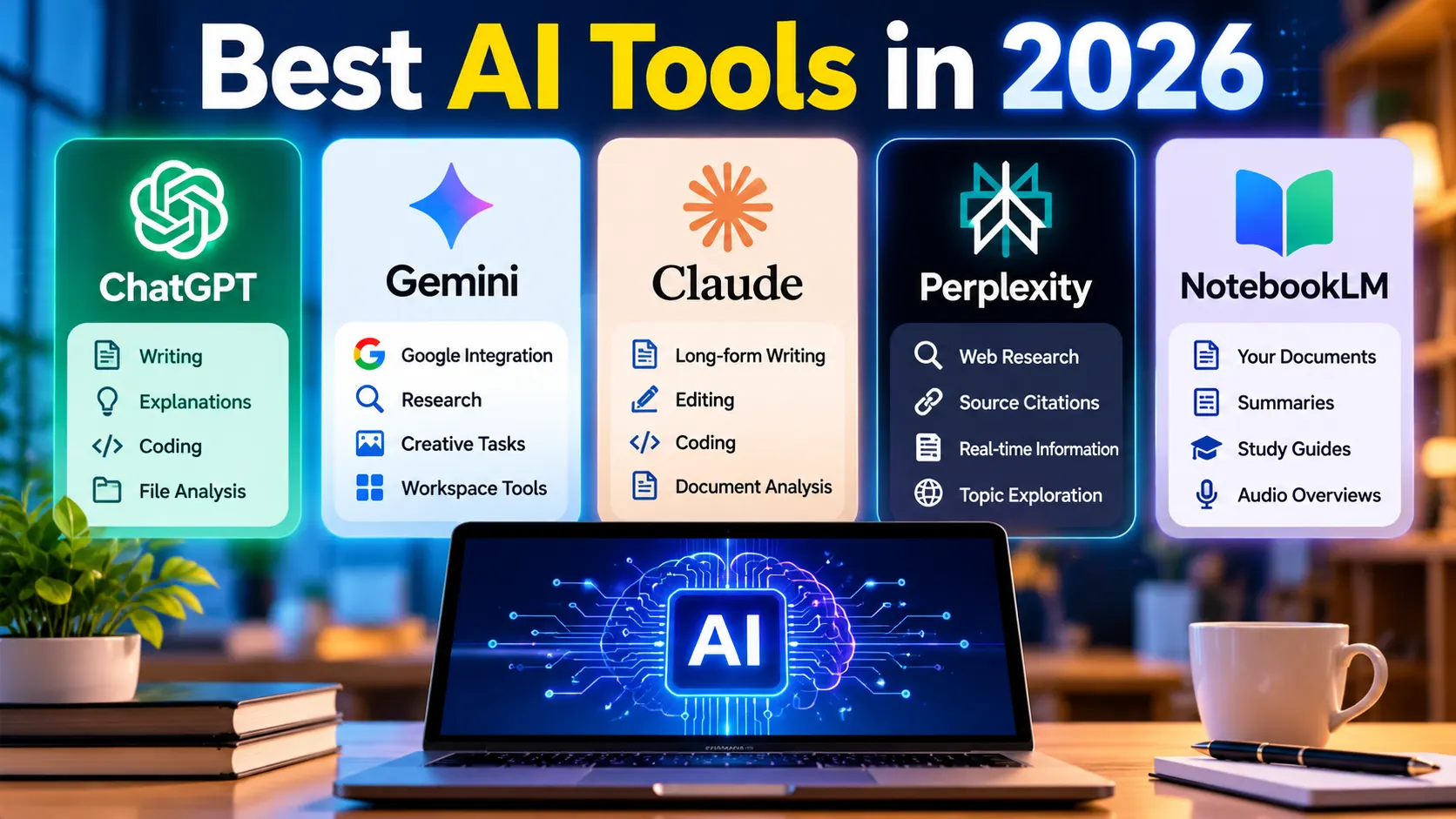
Best AI Tools in 2026: ChatGPT vs Gemini vs Claude vs Perplexity vs NotebookLM
Last Updated: October 26, 2026
If you are looking for the best ai tools in 2026, artificial intelligence applications can help with writing, research, studying, coding, summarising documents and organising information. When exploring the best ai tools in 2026, remember that each assistant has different features, strengths and usage limits. Finding the best ai tools in 2026 depends heavily on the tasks you perform, the services you already use and your budget. Choosing the best ai tools in 2026 is essential for modern workflow optimization. Evaluating the best ai tools in 2026 helps users stay updated with tech trends.
In this guide, we compare five popular options among the best ai tools in 2026: ChatGPT, Google Gemini, Claude, Perplexity and Google’s notebook-based research assistant, now presented as Gemini Notebook and previously known as NotebookLM. We explain what each tool does, who may benefit from it and what to check before choosing a free or paid plan using the best ai tools in 2026.
This comparison is based on official product information available on October 26, 2026. Features, usage limits, subscription prices and regional availability can change. Always check the official product pages for the latest details.
Quick Comparison of the Best AI Tools
| AI Tool | Best For | Main Uses |
|---|---|---|
| ChatGPT | General-purpose AI assistance | Writing, explanations, coding and supported file analysis |
| Google Gemini | Google’s AI ecosystem | Writing, research, creative tasks and supported Google integrations |
| Claude | Writing and technical tasks | Drafting, editing, coding and document-based work |
| Perplexity | Web research | Searching for information and following linked sources |
| Gemini Notebook (formerly NotebookLM) | Research and study materials | Asking questions about supplied sources and organising notes |
When evaluating the best ai tools in 2026, these recommendations describe common use cases rather than a universal ranking. Each tool can perform differently depending on the model, task, available features and information provided.
1. ChatGPT: One of the Best AI Tools in 2026 for General-Purpose Tasks
ChatGPT is an AI assistant from OpenAI that supports a broad range of tasks. Users can ask questions, develop ideas, draft content, learn new concepts and work on technical problems. Depending on their account and available features, they may also be able to analyse supported files or use additional tools.
Key Features
- Writing assistance: Draft articles, emails, reports and other written material.
- Learning and explanations: Break down unfamiliar topics into easier steps.
- Coding support: Explain code, help debug errors and suggest possible solutions.
- File analysis: Work with supported documents and data where file tools are available.
- Additional tools: Use supported capabilities according to the account’s plan and access.
Who Should Use ChatGPT?
ChatGPT is worth considering if you want one AI assistant for a mixture of everyday questions, writing, learning and technical tasks. Choosing the best ai tools in 2026 like ChatGPT helps bloggers develop outlines and improve drafts, while students can use it to understand difficult concepts. If you manage digital content alongside writing, you might also find utility in tools like our free image compressor for quick media optimization. Exploring the best ai tools in 2026 ensures you always have the right utilities on hand. Anyone looking at the best ai tools in 2026 will find ChatGPT exceptionally flexible.
Generated information should still be checked before publication or use in important decisions.
Free and Paid Plans
ChatGPT offers free and paid plans with different combinations of model access, features and usage limits. The availability of individual capabilities depends on the plan and account.
Before subscribing, compare the available features and limits on the official OpenAI ChatGPT website and review the official ChatGPT release notes.
2. Google Gemini: Exploring the Best AI Tools in 2026 for Google Workflows
Google Gemini is an AI assistant that helps users with questions, writing, research, learning and creative tasks. Depending on the feature and account, it can also connect with selected Google services.
Google’s subscription offerings include different levels of access to AI models, creative features and integrations. The precise benefits depend on the plan, country and account eligibility.
Key Features
- Writing and brainstorming: Develop ideas, draft content and revise text.
- Research assistance: Explore topics and organise information.
- Creative tasks: Use supported image and other creative features.
- Google integrations: Access selected features in supported Google services, depending on the subscription and permissions.
- Plan-based capabilities: Access different models, usage allowances and additional features where eligible.
Who Should Use Google Gemini?
Gemini is worth considering if you already use Google services or want an assistant for a combination of research, writing and creative work. When testing the best ai tools in 2026, check the integration you need before subscribing, because not every feature is available to every user.
Google Gemini Pricing in India
Google’s official India subscription page lists a free option, Google AI Plus at ₹399 per month, Google AI Pro at ₹1,950 per month and Google AI Ultra starting at ₹6,500 per month. Higher-priced Ultra options may also be displayed.
These are the prices shown on Google’s official page at the time of research. Promotions, plan benefits and prices can change, so verify them before purchasing.
Visit the official Google AI subscription page for India to compare plans and included features.
3. Claude: Advanced Writing and Coding Options Among Top AI Tools
Claude is an AI assistant developed by Anthropic. It can help users draft and revise documents, explore ideas, understand code and work through complex tasks. Its available features vary according to the model and subscription plan.
Key Features
- Long-form writing: Develop and refine articles, reports and professional documents.
- Editing assistance: Improve clarity, organisation, tone and readability.
- Coding support: Help explain programming concepts, inspect code and suggest debugging approaches.
- Document-based tasks: Work with supported files and projects.
- Research capabilities: Use available research features to investigate topics.
Who Should Use Claude?
Claude is worth considering for writers, editors, developers and professionals who regularly work with substantial amounts of text or code. As with any AI assistant among the best ai tools in 2026, generated code should be tested, and factual claims should be verified before they are relied upon.
Free and Paid Plans
Anthropic offers free and paid Claude plans. Its official pricing page lists Claude Pro at $20 per month for monthly billing or $200 billed upfront for an annual subscription. Prices may exclude applicable taxes, and features and usage limits vary by plan.
Check the official Claude pricing page for current subscription details.
4. Perplexity: A Leading Choice for Web Research and Source Discovery
Perplexity is an AI-powered research and search service designed to help users find information online. Its answers can include links to sources, allowing readers to inspect the material used to support a response.
Citations are useful, but they do not guarantee that every claim is correct. A source may be outdated, incomplete or unrelated to a particular statement. For important information, open the original page and verify the claim yourself.
Key Features
- Web research: Investigate questions using available online sources.
- Linked references: Follow citations to review source material.
- Topic exploration: Ask follow-up questions and explore related information.
- Research workflows: Use additional research features where available.
- Paid capabilities: Access higher usage limits or other benefits according to the selected plan.
Who Should Use Perplexity?
Perplexity is useful for students, bloggers, journalists and professionals who need to discover online sources and investigate unfamiliar topics.
For example, a blogger researching a new technology can use it to find official announcements and documentation, then check those sources directly before publishing an article using the best ai tools in 2026.
Free and Paid Plans
Perplexity provides a free plan and paid subscriptions. Its official pricing page lists Pro at approximately $17 per month when billed annually and Max at approximately $167 per month when billed annually. These figures are annual-billing equivalents, not necessarily the prices for monthly billing.
The service may change its plans, promotional offers and usage allowances. Review the official Perplexity pricing page before choosing a subscription.
5. Gemini Notebook: Research and Study Material Management
NotebookLM was Google’s name for its notebook-based AI research assistant. Google now presents this experience as Gemini Notebook. It is designed to help users work with materials they provide, such as supported documents, notes and other sources.
Instead of relying only on a general question, users can organise selected materials and ask questions about those sources. This can make it easier to review information and prepare study or research notes.
Key Features
- Source-based questions: Ask questions about materials added to a notebook.
- Document summaries: Extract key points from supported sources.
- Study assistance: Organise information into revision notes and learning resources.
- Research organisation: Keep related sources together for a project.
- Supported learning outputs: Access features such as audio overviews when available.
Who Should Use Gemini Notebook?
Gemini Notebook can be useful for students, educators, researchers and writers who regularly work with multiple documents or research sources.
For example, a student can organise course materials and ask for a summary of a topic. A researcher can collect relevant documents and use the notebook to identify key themes before writing a report.
The quality of its responses depends on the supplied materials and the task. It can still make mistakes, so important information should be checked against the original documents.
Availability and Usage Limits
Available features and usage allowances depend on the account, plan and selected functionality. Google has documented flexible usage limits that can depend on factors such as prompt complexity, chat length, source count and the features used.
Check Google’s official Gemini Notebook plan and usage information for current details.
Which AI Tool Should You Choose?
The most suitable tool depends on what you want to accomplish.
| Your Main Requirement | Tool to Consider | Reason |
|---|---|---|
| General questions and varied tasks | ChatGPT | Supports a broad range of everyday tasks |
| Google-connected work | Google Gemini | Offers selected integrations with Google services |
| Writing and editing | Claude | Supports drafting and revising substantial documents |
| Online research | Perplexity | Helps discover information and linked sources |
| Studying supplied documents | Gemini Notebook | Organises and answers questions about provided materials |
This comparison is a starting point, not a guarantee that one tool will always produce better results. If you are deciding between two assistants, test them with the same task and compare factual accuracy, clarity, usefulness and the time required to finish the work. Reviewing the best ai tools in 2026 helps clarify these choices.
Are Free AI Plans Enough?
A free plan may be sufficient for basic questions, occasional writing, learning and simple research. Whether it meets your needs depends on how frequently you use the service and which features you require.
Consider a paid plan only if you regularly reach usage limits or need specific capabilities that are not included in the free option when utilizing the best ai tools in 2026.
Before upgrading:
- Identify the feature or limitation that is preventing you from completing your work.
- Compare the available plans and their usage allowances.
- Check whether the feature is available in your country and account.
- Review the billing period, renewal terms and applicable taxes.
- Start with the lowest-cost option that meets your actual needs.
You do not need to purchase several subscriptions simply because different AI tools are popular.
How to Use AI Tools Responsibly
AI assistants can help save time, but their responses should not automatically be treated as verified facts. Use the following practices when working with AI-generated information.
1. Verify Important Facts
Check dates, prices, statistics, quotations and technical claims against reliable sources. For changing products and services, prefer current official documentation.
2. Open and Inspect Citations
Do not rely only on an AI-generated summary. Open the cited page and make sure it actually supports the claim you want to use when exploring the best ai tools in 2026.
3. Add Useful, Original Information
When creating a blog article, go beyond repeating common information. Include meaningful comparisons, clear explanations, relevant examples and details that help readers make decisions.
4. Protect Confidential Information
Avoid submitting passwords, confidential business information or sensitive personal data unless you understand the service’s privacy terms and have a legitimate reason to share the information.
5. Review Generated Content Before Publishing
Check accuracy, remove repetition, correct misleading statements and ensure the final article answers the reader’s question. These steps are important whether the first draft was written by a person, an AI tool or a combination of both.
Google’s official guidance says AI-assisted content should meet its Search Essentials and spam policies. The key consideration is whether the content is accurate, useful and created to help people rather than to manipulate search rankings with the best ai tools in 2026.
Frequently Asked Questions (FAQ)
Which AI tool is best overall in 2026?
There is no single best AI tool for every task. ChatGPT is a general-purpose option, Gemini is worth considering for Google-connected workflows, Claude can help with writing and coding, Perplexity supports web research, and Gemini Notebook is designed for working with supplied research materials among the best ai tools in 2026.
Can I use these AI tools for free?
Free access is available for several of these services, although features, usage limits and eligibility differ. Some advanced models and capabilities require a paid subscription. Check each service’s official plan page for the latest details.
Is Perplexity always accurate because it provides citations?
No. Citations make it easier to check information, but they do not guarantee accuracy. Open the original sources and verify that they support the statements being made when researching the best ai tools in 2026.
Is Gemini Notebook the same as NotebookLM?
NotebookLM was the earlier name of Google’s notebook-based AI research assistant. Google now presents the experience as Gemini Notebook. The name, interface and available features may change, so consult Google’s current documentation.
Can AI tools write blog posts for a website?
AI tools can assist with research, outlining, drafting and editing. The publisher remains responsible for checking the facts, improving the material and ensuring that the final article provides genuine value to readers.
Does Google penalise every AI-generated article?
No. Google does not prohibit content simply because AI was used to create it. Its guidance focuses on content quality and compliance with Search policies. Producing pages at scale primarily to manipulate rankings, without adding value for users, can violate Google’s spam policies.
Will this article automatically rank on Google?
No article can guarantee a ranking or indexing. Search visibility depends on multiple factors, including relevance, content quality, competition, technical accessibility and Google’s systems. Following SEO best practices improves the foundation of a page regarding the best ai tools in 2026 but does not guarantee a particular result.
Final Verdict
ChatGPT, Google Gemini, Claude, Perplexity and Gemini Notebook can all be useful, but they serve different purposes. The right choice depends on the work you need to complete, the features available to you and your budget.
Start by identifying your main requirement, test the available free options and compare the results using real tasks. Before paying for a subscription, verify its current features, usage limits and billing terms.
For website publishers, the same principle applies: use AI as a tool to support research and writing, verify the information and publish content that genuinely helps readers make informed decisions about the best ai tools in 2026.